When a chord already exists at the selected score position, the Chords panel provides a dedicated action for managing the notes associated with that chord.
The behavior of this action depends on the notes currently present at the selected position:
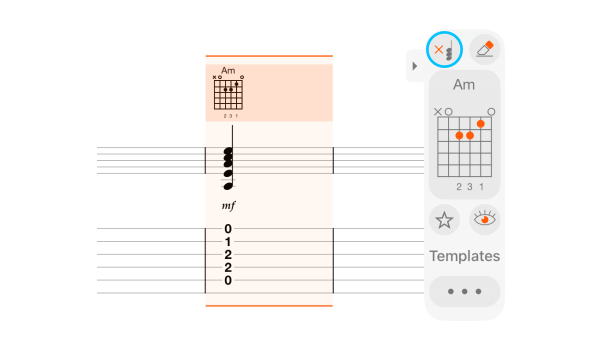
- If the notes already match the chord, they can be removed while keeping the chord symbol and diagram. This is useful when the chord serves as a harmonic indication and the actual musical material is written separately, such as an arpeggio, melodic accompaniment, or another realization of the harmony.
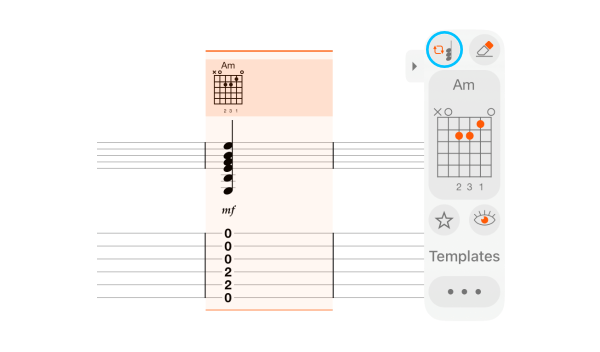
- If notes exist but do not correspond to the selected chord, they can be updated to match the chord definition.
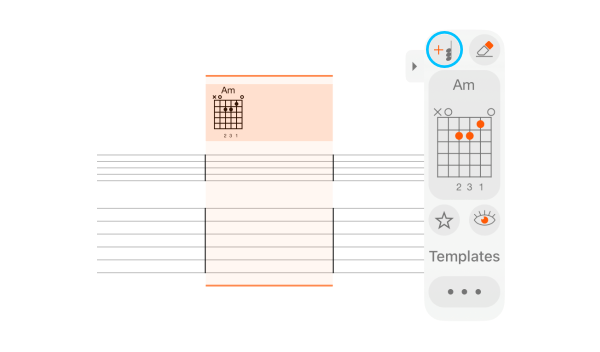
- If no notes are presented, the chord notes can be inserted automatically at the current position based on the selected chord.


This workflow makes it easy to keep chord symbols, diagrams, and chord notes synchronized while preserving the flexibility to notate the musical realization of the harmony independently.